
یہی مضمون اردو میں پڑھنے کے لیے یہاں[ کلک کریں]۔
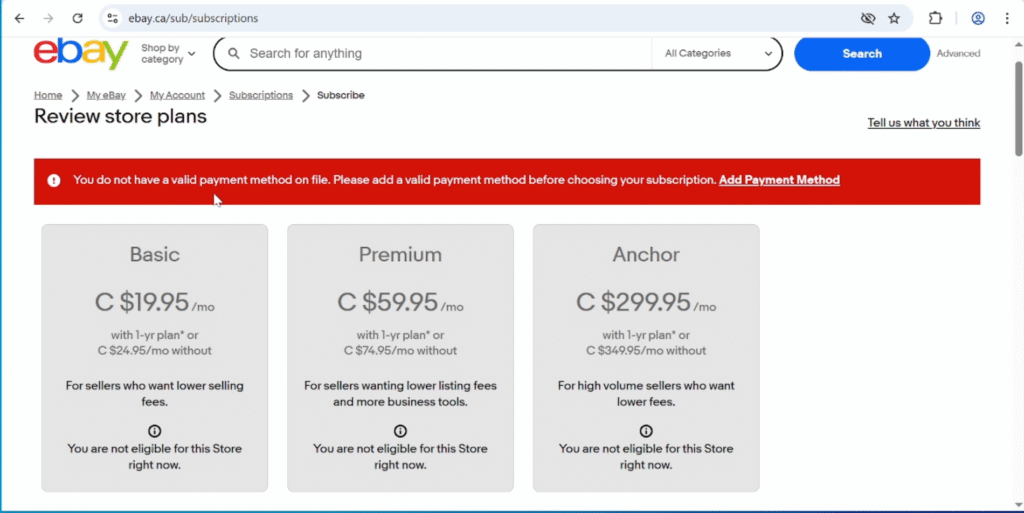
Are you facing the same problem while trying to subscribe to an eBay Store — even though you’ve already added a payment method, but still see the error “You do not have a valid payment method on file”?
If yes, don’t worry — you’re at the right place!
In this post, I’ll explain exactly why this error appears and how to fix it quickly, step-by-step.
🧩 Reason
The issue occurs because eBay treats your personal account as a buying account, and the payment method you added is recognized only for purchases, not for seller payouts.
To subscribe to an eBay Store, your seller account must have a valid payout method linked — this is different from the payment method you use for buying items.
🛠️ Solution
To fix this, simply your payout method to complete your seller account setup.
✅ Once your payout details are added, this error will disappear permanently.
You can add your payout method in two simple ways:
- List an Item
When you list your first item, eBay will automatically prompt you to enter your payout details.
Once you add them, go back to the store subscription page — the issue will be 100% resolved.
💡 If you’re not sure how to list an item, check Step 6 in the guide
[How to Create an eBay Seller Account] or watch the video tutorial:
[How to Create an eBay Seller Account]
- Contact eBay
They will send you a link, and you can add your payout details by following that link.
💬 My Suggestion
Go with Step 1, because eBay’s customer service operates only during U.S. business hours, and even if they send a verification link, it can take 24 hours or more to process.
By adding payout details while listing an item, you’ll solve the issue instantly and permanently.